Muqeem Login Guide: How to Log In Step by Step
Learn how to access the Muqeem portal, enter your account credentials, use available login options and reach your Muqeem dashboard.
Official Portal
Use the official Muqeem website to access your account.
Username
Enter the username associated with your Muqeem account.
Password
Enter your current account password.
National Access
The current login page also provides a National Access option.
What Is Muqeem?
Muqeem is an electronic platform used by establishments in Saudi Arabia to view resident employee information and complete eligible passport-related transactions electronically.
The platform provides access to different services depending on the establishment’s subscription, user account and assigned permissions.
What You Need Before Muqeem Login
Before trying to log in, make sure you have the credentials and access required for your Muqeem account.
Active Muqeem Account
You need a Muqeem account that has been registered and activated for the relevant establishment.
Username
Keep the username associated with your Muqeem account available before starting the login process.
Password
Use your current Muqeem account password.
Stable Internet Connection
A stable connection can help the login page and verification process load correctly.
How to Log In to Muqeem
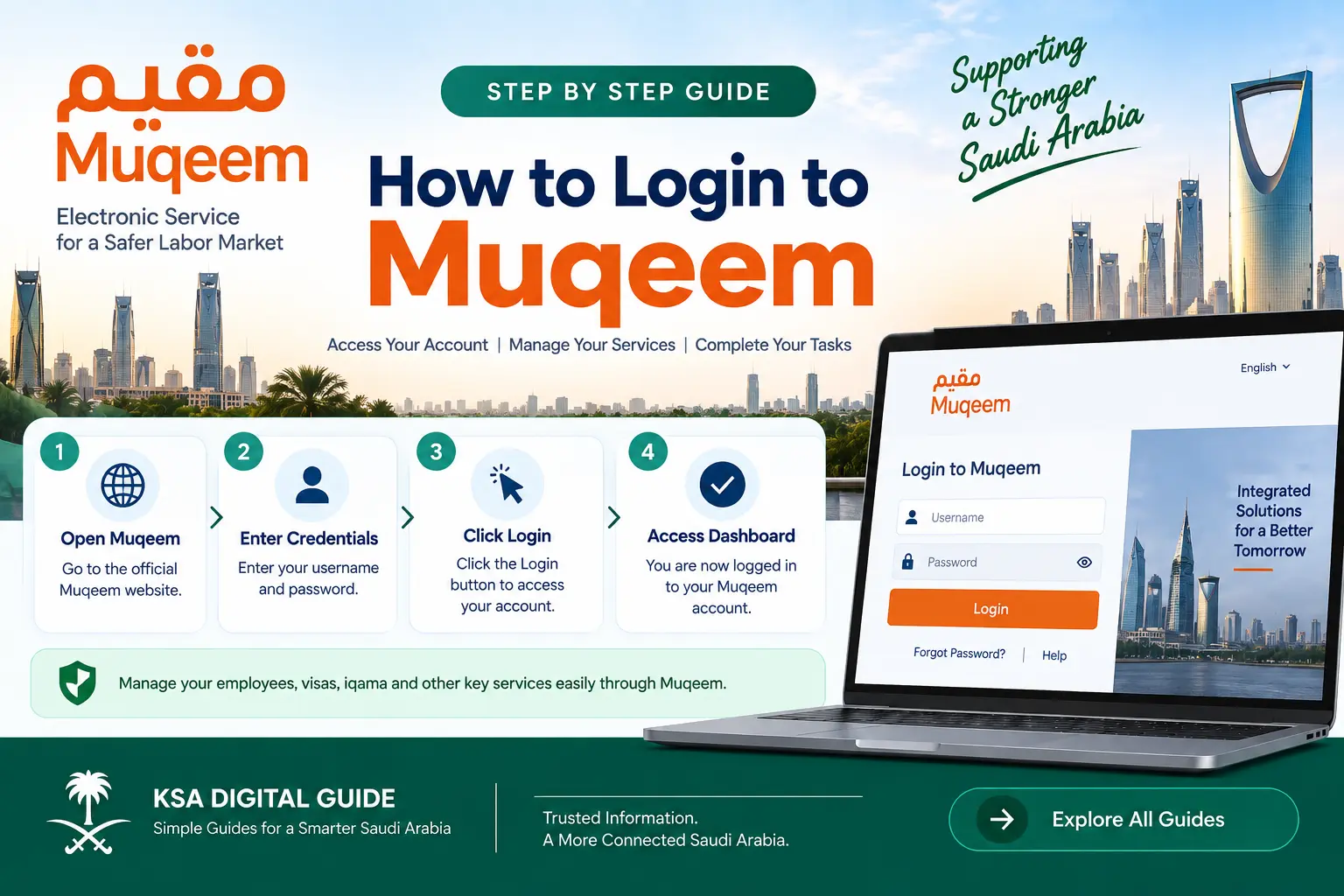
The current Muqeem login page provides a standard username and password login form.
Open the Official Muqeem Portal
Open the official Muqeem website and go to the Login section.
Enter Your Username
Enter the username associated with your Muqeem account in the username field.
Enter Your Password
Enter your current password in the password field. Check the information before continuing.
Complete Any Verification
If the portal displays a verification or security step, complete the instructions shown on the screen.
Select Login
Select the Login button to submit your credentials. If the details are accepted, you will enter your Muqeem account.
Muqeem Login With National Access
The current Muqeem login page also provides an option to log in through National Access.
Open the Muqeem Login Page
Go to the official Muqeem login page.
Choose National Access
Select the National Access login option when it is available for your account and login flow.
Complete Identity Verification
Follow the verification instructions shown by the National Access process.
Return to Muqeem
After successful authentication, continue to the Muqeem service.
What Can You Do After Muqeem Login?
The services shown inside Muqeem depend on your establishment, subscription and user permissions.
| Service Area | Examples of Muqeem Services |
|---|---|
| Residency | Issuing or renewing residency-related transactions. |
| Visa Services | Eligible visa issuance and cancellation services. |
| Employee Information | Viewing information related to resident employees. |
| Reports | Accessing eligible reports and electronic information. |
| Service Transfer | Eligible transfer-of-service transactions. |
| Payments & Subscriptions | Managing available subscription and payment-related functions according to account permissions. |
Common Muqeem Login Problems
My Muqeem username or password is not accepted
Check that the username and password were entered correctly. Avoid copying extra spaces when entering your credentials.
My Muqeem account is locked
The current Muqeem system can display account-related login errors, including messages indicating that an account has been locked. Follow the instructions shown by the portal or contact the relevant Muqeem support channel or administrator.
My password has expired
The Muqeem system can display a password-expired message. If this happens, follow the password-change process provided by the portal.
The Muqeem website is not loading
Check your internet connection and try loading the official portal again. You can also try another browser if the page is not working correctly.
I can log in but cannot see a service
Muqeem services depend on the user’s permissions and establishment subscription. Contact the establishment’s main user or administrator if you believe a required permission is missing.
National Access login is not working
Check that the National Access verification process completes successfully. If authentication succeeds but Muqeem does not continue, the issue may be related to the service or account rather than the identity check.
Muqeem Login Security Tips
Muqeem accounts can provide access to important employee and establishment services, so account credentials should be protected carefully.
Use the Official Portal
Always start from the official Muqeem website instead of entering credentials on an unknown website.
Protect Your Password
Do not share your Muqeem password with people who do not need access to your account.
Check the Website
Before entering credentials, check that you are on the official Muqeem website.
Log Out on Shared Devices
If you use a shared computer, log out after completing your work.
Muqeem Login FAQ
What is the Muqeem login?
Muqeem login is the process used by authorized users to access the Muqeem electronic services platform for their establishment.
Can I log in to Muqeem with a username and password?
Yes. The current Muqeem login page provides username and password fields for standard login.
Does Muqeem support National Access login?
Yes. The current Muqeem login page also provides a National Access login option.
Is Muqeem for individuals or establishments?
Muqeem is primarily an establishment-focused platform used to manage eligible resident employee and passport-related electronic services.
Why can I log in but not access some Muqeem services?
Services depend on your establishment’s subscription and the permissions assigned to your Muqeem account.
Where should I log in to Muqeem?
Use the official Muqeem portal. Avoid third-party websites asking for your Muqeem username or password.
Official Muqeem Sources
Need Help With Another Saudi Digital Service?
Explore simple guides for Muqeem, Absher, Nafath, Iqama, visas, traffic, work services and other Saudi digital services.
Explore KSA Digital Guide