
Nusuk Registration & Login in Saudi Arabia: Complete Guide
Nusuk is a Saudi digital platform used for Hajj, Umrah and visit-related services. This guide explains how to create a Nusuk account, log in, recover your password and handle common account problems.
Nusuk Registration: Quick Answer
To register, open the relevant official Nusuk platform, select the required registration option, provide the requested information and complete the account creation process. The exact registration fields can differ between Nusuk services and eligibility categories.
What You Need Before Registering
For Nusuk Umrah
The current Nusuk Umrah registration page asks users to select their country of residence and nationality and enter an email address.
For Nusuk Hajj
Hajj registration follows its own eligibility and country-of-residence process. Available registration options depend on the current Hajj program and applicable rules.
How to Register on Nusuk
Open Nusuk
Use the official Nusuk website or the relevant official Nusuk service.
Select Register
Choose the account creation option shown on the official platform.
Enter Details
Provide the requested country, nationality, email or other information applicable to your registration.
Complete Verification
Follow the verification instructions sent by Nusuk during the registration process.
Access Your Account
After registration, use your account to access the services available to you.
How to Log In to Nusuk
Step 1: Open the Login Page
Open the official Nusuk login page for the service you want to use.
Step 2: Enter Your Email
Enter the email address registered with your Nusuk account.
Step 3: Enter Your Password
Enter the password associated with your account.
Step 4: Select Login
Submit your details to access the account and available services.
What Can You Do After Login?
Umrah Services
Explore available Umrah packages and services according to your eligibility and the current platform options.
Hajj Services
Access Hajj registration and related services where the current Hajj program makes them available.
Rawdah
Access relevant Rawdah appointment services through the official Nusuk channels.
Travel & Accommodation
Depending on the service and eligibility, Nusuk can provide access to packages and related travel services.
Registration vs Login
| Option | When to Use It | What You Do |
|---|---|---|
| Register | You do not have a Nusuk account | Create an account and provide the requested information |
| Login | You already have an account | Enter your registered email and password |
| Password Recovery | You cannot remember your password | Request a password reset link using your registered email |
Nusuk Login Not Working?
Forgot Password
Use the official password recovery option and request a reset link. Check your inbox and spam or junk folder.
Verification Email Not Received
Check the email address you entered and look in your spam or junk folder before trying again.
Wrong Account Details
Make sure you are using the same email address associated with your Nusuk account.
Still Having Problems?
Use the official Nusuk support channels available for the relevant service.
Nusuk Password Recovery
- Open the official Nusuk password recovery page.
- Enter the email address registered with your account.
- Accept the password-reset terms where required.
- Submit the request.
- Open the password reset link sent to your email.
- Create your new password according to the instructions provided.
Important Account Security Tips
Protect Your Password
Do not share your Nusuk login details with other people.
Use Correct Information
Enter accurate information during registration and keep account information updated when necessary.
Use Official Platforms
Use official Nusuk websites and applications instead of unknown websites requesting account credentials.
Keep Your Email Accessible
Your registered email can be important for account access and password recovery.
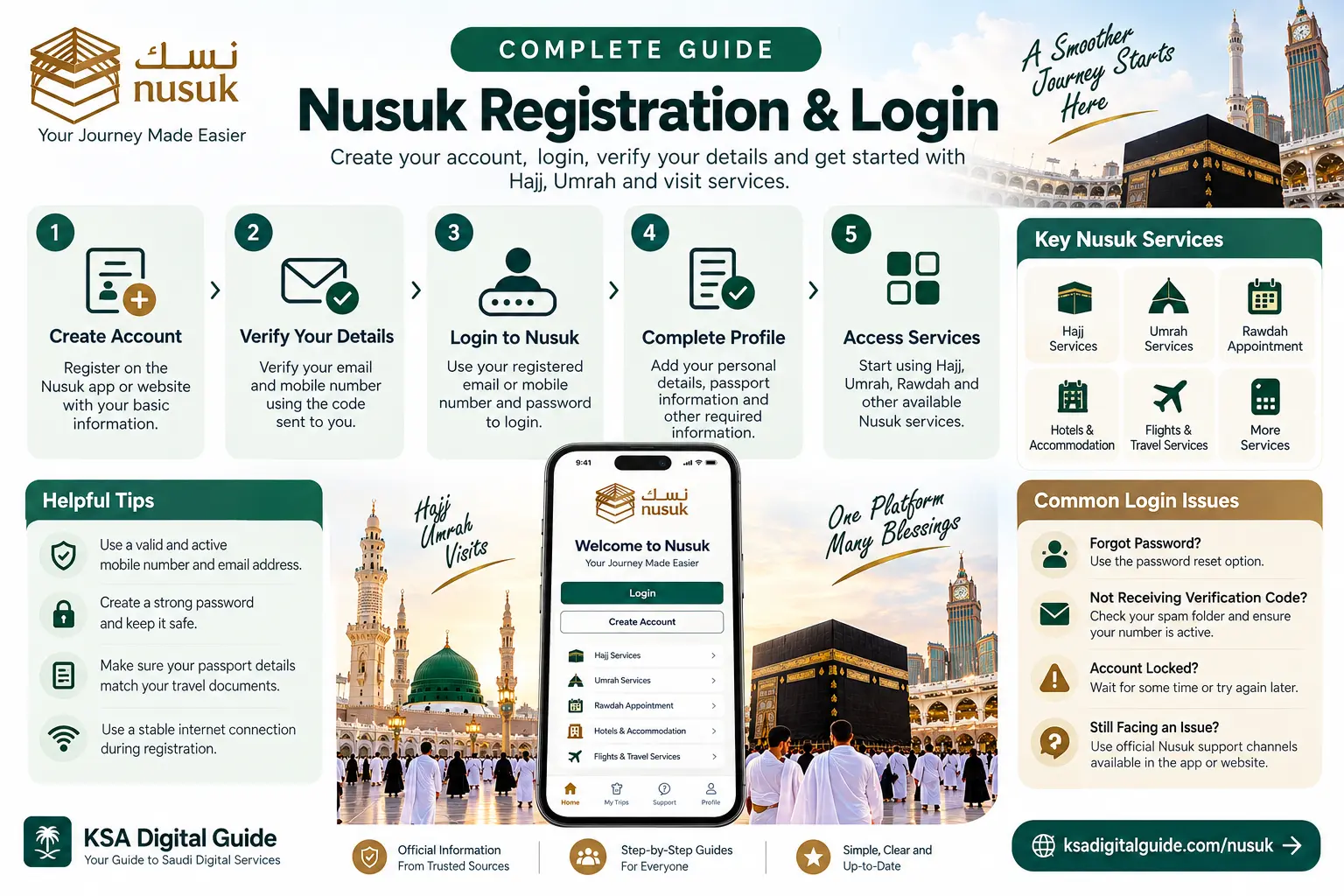
Nusuk Registration & Login at a Glance
Frequently Asked Questions
How do I register for Nusuk?
Open the relevant official Nusuk registration page, select the required registration option, provide the requested information and complete the verification process.
What information is required for Nusuk registration?
The information depends on the Nusuk service. The current Umrah registration flow asks for country of residence, nationality and email address.
How do I log in to Nusuk?
Open the official Nusuk login page and enter the email address and password associated with your account.
What if I forgot my Nusuk password?
Use the official password recovery option and request a reset link using your registered email address.
Can I use Nusuk for Hajj and Umrah?
Nusuk provides Hajj and Umrah-related digital services, but the available services and eligibility depend on the current program and applicable Saudi regulations.
Where can I get help with a Nusuk account problem?
Use the official Nusuk support channels for the relevant service. The Nusuk Umrah platform currently provides live chat, support email and a call center.
More Nusuk Guides
Official Nusuk Sources
Need More Nusuk Guides?
Explore KSA Digital Guide for simple, practical guides covering Nusuk, Hajj, Umrah and other Saudi digital services.