
Absher Reports & Requests Guide
Learn how to use Absher Reports, Qabul and Tawasul to issue eligible electronic reports, review requests and submit supported requests online.
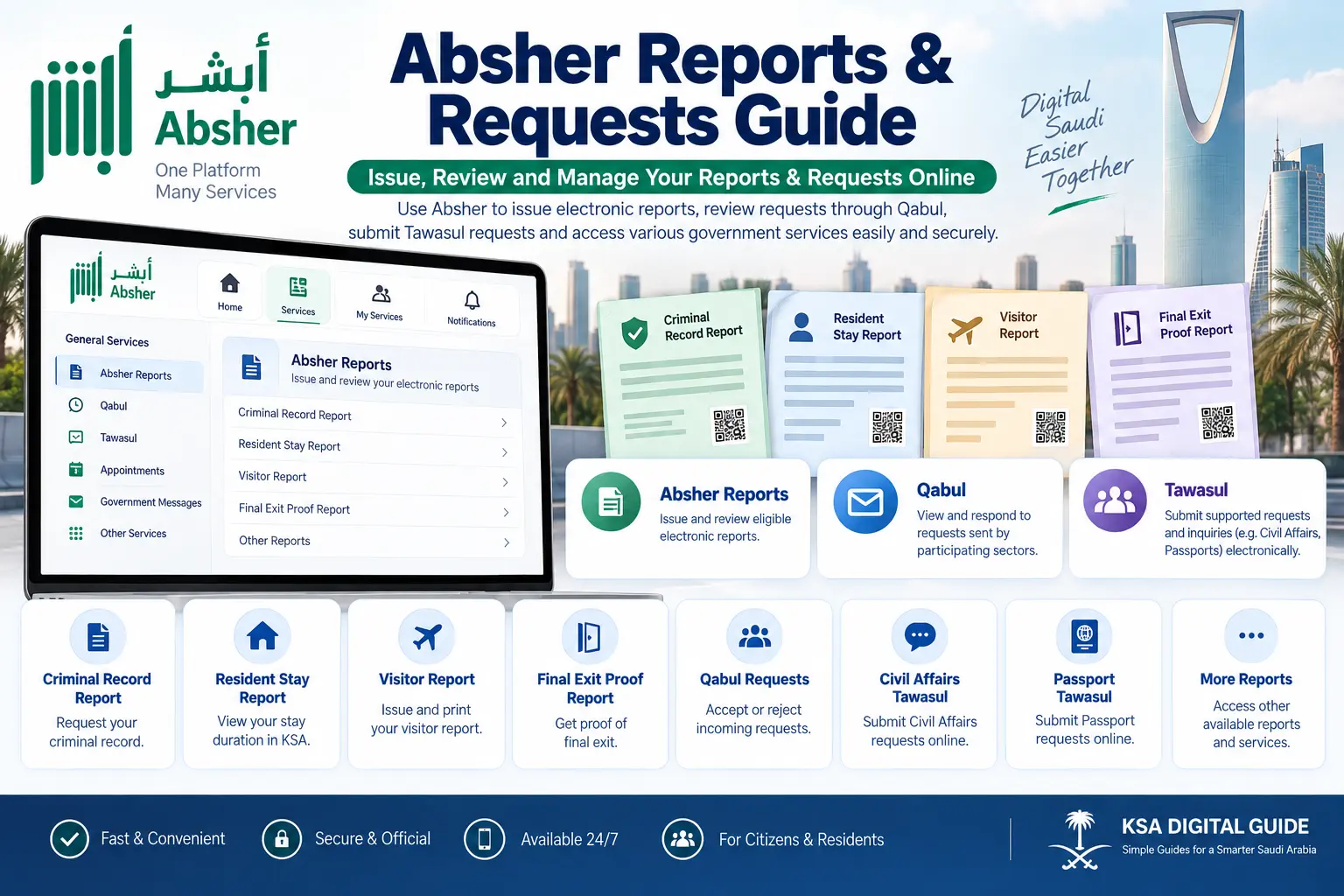
Absher Reports
Issue and review eligible electronic reports through Absher.
Qabul
Review requests sent from participating government sectors and accept or reject them when available.
Tawasul
Submit supported requests electronically and follow their status.
Online Access
Many services can be handled online without visiting a service office.
What Are Absher Reports?
Absher Reports is an electronic service that allows individuals to issue and review eligible reports through the Absher platform.
The official Absher service information states that citizens and residents can use the service after registering and activating their Absher account.
How to Issue an Absher Report
For the main Absher Reports service, the Saudi government portal lists the following route:
Log in to Absher
Sign in to your Absher account.
Open Services
Select the Services area from your Absher account.
Choose General Services
Open the General Services section.
Select Absher Reports
Choose Absher Reports and select the report you need.
View or Issue
Follow the service instructions to view or issue the selected report.
How to Review an Absher Report
Absher also provides options to review valid reports. For the Absher Reports service, the official description says beneficiaries can review reports online using the required identification details and report reference information.
Current Reports
Open the relevant report service from your Absher account and follow the instructions displayed for that report.
Report Reference
Some report services use a report reference number together with identification details for online review.
What Is Qabul in Absher?
Qabul is an Absher service that lets users view requests sent from participating sectors. When a request is available, the user can accept or reject it through the service.
Accept a Request
Open Qabul and review the request details. If everything is correct, use the available option to accept the request.
Reject a Request
If the request is not correct or you do not want to approve it, use the available reject option.
How to Open Qabul
Log in
Sign in to your Absher account.
Open My Services
Go to your available services.
Open General Services
Select General Services.
Select Qabul
Review any available requests and take the required action.
What Is Tawasul in Absher?
Tawasul allows users to submit supported electronic requests to participating government sectors. Depending on the Tawasul service, you may also be able to follow up on the request online.
Submit a Request
Select the relevant Tawasul service, choose the available request type and enter the required information.
Follow Up
After submission, use the available request information to follow up through the relevant service.
General Tawasul Process
Log in to Absher
Sign in to your account.
Open the Relevant Service
Go to the Tawasul service for the relevant government sector.
Create a New Request
Select the available service or sub-service.
Check Requirements
Review the requirements shown by the system.
Attach Documents
Add the required supporting documents when requested.
Submit
Submit the request and keep the available reference information.
Tawasul for Different Government Services
Passports Tawasul
Absher provides a Tawasul service for submitting electronic requests to the Passports Department and making inquiries about submitted requests.
The exact request options depend on the services available through the Passports section.
Civil Affairs Tawasul
Civil Affairs Tawasul can be used for supported requests. The available process can include selecting the sector, service and sub-service, checking requirements, attaching documents and submitting the request.
Examples of Absher Reports
Absher contains different report services. The exact availability can change by user type and service eligibility.
Criminal Record Report
The Criminal Record service allows eligible users to request a criminal record certificate electronically through Absher.
Resident Stay Duration Report
This report can show information about the duration of a resident’s stay in Saudi Arabia when the service is available.
Visitor Report
The Visitor Report service allows an eligible report to be issued, viewed and printed.
Final Exit Proof Report
This service allows eligible users to issue and print a report proving a resident’s final exit.
Resident Personal Information
Absher also provides electronic access to certain personal, residence and visa information through its relevant services.
Other Reports
Additional report services may be available depending on the account and the relevant government service.
Criminal Record Report Through Absher
The Saudi government portal lists a separate Criminal Records Report service through Absher. Eligible users can request the certificate, review it and print it.
Sign in to Absher
Log in to your Absher account.
Open My Services
Go to My Services.
Select Public Security
Open Public Security from the available services.
Open Criminal Record Certificate
Select the Criminal Record Certificate Report Service.
Request the Certificate
Enter the requested purpose and entity information.
Review & Print
Complete the required payment if shown, then review and print the certificate.
Common Absher Reports & Requests Problems
Report Not Available
The report may not be available for your account or situation. Check the eligibility and requirements shown by Absher.
Service Not Showing
Make sure you are checking the correct service category. Absher services can be located under different sections.
Request Cannot Be Submitted
Review the required information and documents. Some Tawasul services may also restrict submitting another request while an earlier request is still being processed.
Qabul Request Not Found
Qabul is used for requests sent from participating sectors. If no request has been sent to you, there may be nothing to approve or reject.
Login Problem
If you cannot access Absher, first resolve the account login issue before trying the report or request service.
Document Upload Problem
For Tawasul services that require attachments, check the file requirements shown by the service before submitting.
Having Trouble Accessing Absher?
You need access to your Absher account before using most individual services. If you are having login or password problems, see our Absher Login & Password Recovery Guide .
If you have not activated your account yet, see our Absher Registration & Activation Guide .
Absher Reports & Requests FAQ
What are Absher Reports?
Absher Reports is an electronic service that allows eligible users to issue and review reports through the Absher platform.
How do I access Absher Reports?
Log in to Absher, open Services, go to General Services and select Absher Reports. Then choose the available report you need.
What is Qabul in Absher?
Qabul allows users to view requests sent from participating sectors and accept or reject those requests when available.
What is Tawasul in Absher?
Tawasul allows users to submit supported electronic requests to participating government sectors and, depending on the service, follow up on those requests.
Can everyone use every Absher report?
No. Report availability depends on the specific service and the user’s eligibility.
Can I print an Absher report?
Some report services provide options to view and print the report. The available options depend on the specific report.
Why can I not see a report in Absher?
The service may not be available for your account, or you may be checking a different service category. Review the current requirements and available services in Absher.
Can I submit a Tawasul request online?
Yes, for supported Tawasul services. The exact steps and requirements depend on the government sector and request type.
Related Absher Guides
Official Sources
For the latest service availability, requirements and instructions, always check the official Saudi government platforms.
Need Help With Another Saudi Digital Service?
Explore more simple guides for Absher, Nafath, Iqama, Visa, Traffic, Qiwa and other Saudi digital services.