
Qiwa Employment Contract: Complete Guide
A Qiwa employment contract is an electronic employment contract managed through the Qiwa platform. Employers can create and manage employee contracts, while employees can review the contract and approve, reject, or request changes through their Qiwa Individuals account.
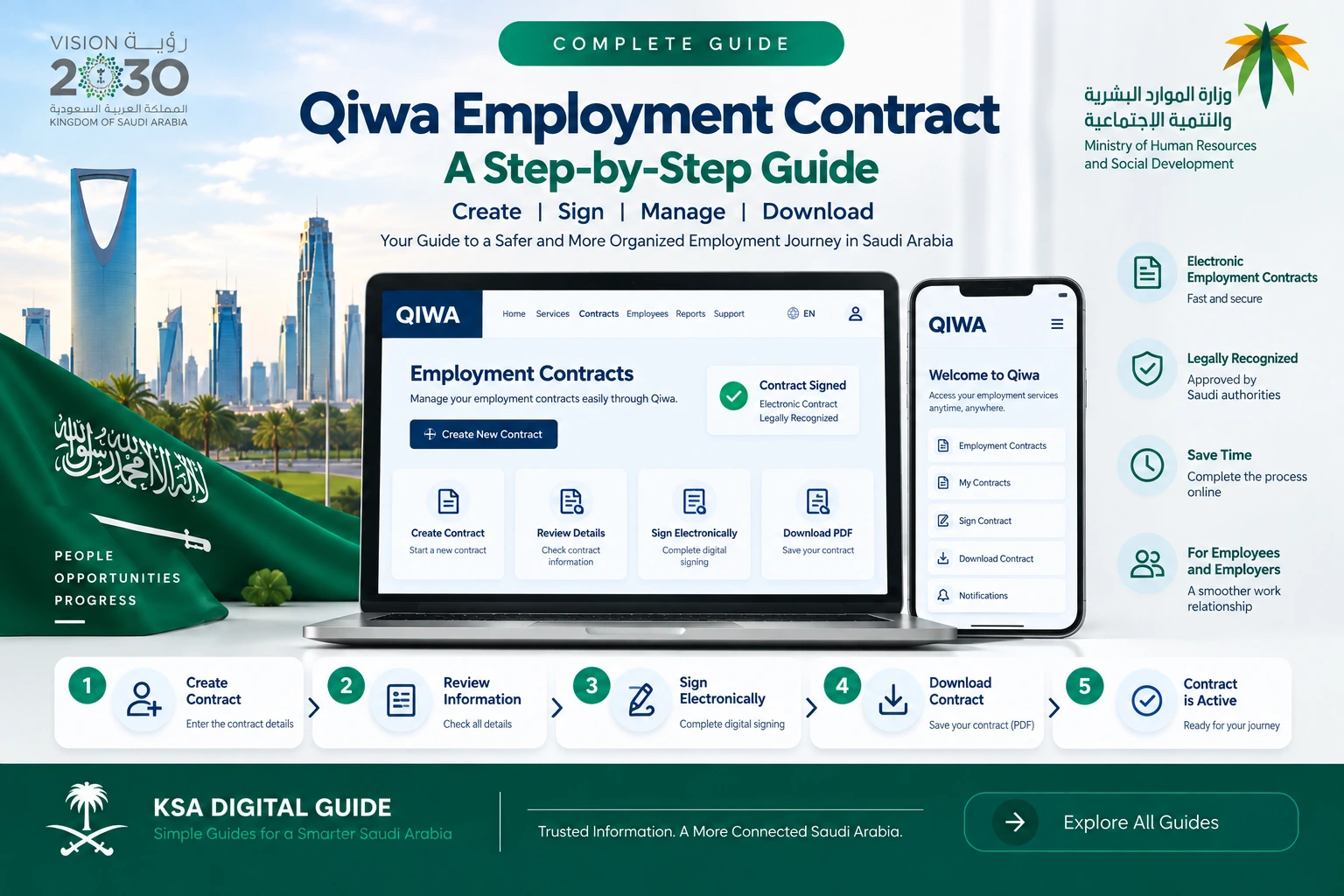
Quick answer: The employer creates the employment contract in Qiwa and sends it to the employee. The employee reviews the contract through Qiwa Individuals and can approve it, reject it, or request an amendment. Always check the contract details before giving your final response.
What Is a Qiwa Employment Contract?
A Qiwa employment contract is a digital employment agreement between an employer and an employee. The Ministry of Human Resources and Social Development provides the Qiwa Contract Management service for establishments to create and manage employee contracts electronically.
After the employer creates the contract, the employee can receive and review the contract through the Qiwa Individuals account. The employee can then choose the appropriate response.
An employment contract can include important information such as employer and worker details, salary and allowances, type and location of work, start date, contract duration where applicable, and the rights and obligations of both parties.
Who Uses Qiwa Employment Contracts?
For Employers
Employers use Qiwa Contract Management to create and manage employment contracts electronically.
- Create an employee contract.
- Enter the required contract information.
- Review the contract before sending it.
- Send the contract to the employee.
- Manage eligible contracts.
For Employees
Employees use their Qiwa Individuals account to review employment contracts sent by their employer.
- View the employment contract.
- Check salary and job details.
- Approve the contract.
- Reject the contract.
- Request an amendment when available.
How to Create a Qiwa Employment Contract
Employers can use Qiwa Contract Management to create employment contracts. The exact Qiwa screen layout may change as the platform is updated.
Log in to Qiwa Business
The employer or authorized establishment user signs in to the Qiwa business account.
Open Contract Management
Open the Contract Management service from the available business services.
Select the Employee
Select or enter the employee information required for the contract.
Enter Contract Details
Add the employment information, including job and financial contract details.
Review the Contract
Check the information carefully before sending the contract to the employee.
Send the Contract
Send the contract electronically to the employee for review and response.
Important: HRSD service information states that the establishment should be active and the employee should not already have a valid contract on Qiwa when creating a new contract through the Contract Management service.
How to Review a Qiwa Employment Contract
When an employer sends a contract, the employee can access it through the Qiwa Individuals account and review the information before responding.
Log in to Qiwa Individuals
Sign in to your individual Qiwa account.
Open Your Contract
Find the employment contract or contract request sent by your employer.
Check the Details
Review your personal information, job details, salary, benefits and contract dates.
Choose Your Response
Approve the contract, reject it, or request an amendment when the option is available.
What Should You Check Before Approving?
Personal & Job Details
- Your name and identity information.
- Job title.
- Type of work.
- Work location.
- Employment start date.
Salary & Benefits
- Basic salary.
- Allowances.
- Benefits.
- Other agreed financial terms.
Contract Period
- Contract type.
- Start date.
- End date when applicable.
- Probation period where applicable.
Rights & Obligations
- Employer responsibilities.
- Employee responsibilities.
- Working conditions.
- Other agreed terms.
Check every important detail before approving your Qiwa employment contract. If something is incorrect, use the available amendment or rejection option instead of approving incorrect information.
Approve, Reject or Request a Change?
| Option | When to Use It |
|---|---|
| Approve | Use this when you have reviewed the contract and agree with the terms. |
| Reject | Use this when you do not agree with the contract and do not want to approve it. |
| Request Amendment | Use this when contract information or agreed terms need to be changed before approval. |
The HRSD contract service allows employees to approve, reject or request amendments to employment contracts through Qiwa Individuals.
How Long Do You Have to Respond?
The Qiwa Contract Management service is an electronic service. After an employer creates and sends a contract, the employee needs to review and respond to the request.
Important: HRSD service information states that a contract request can be automatically cancelled if the employee does not respond within 10 days from the date of creation.
Can a Qiwa Employment Contract Be Changed?
Contract management through Qiwa can support changes to eligible contracts. Depending on the situation, the employer can update contract information and send the contract again for employee review.
If you receive a contract with incorrect information, do not approve it without checking the issue. Review the available amendment or rejection option and discuss the required correction with the employer.
Qiwa Contract Not Showing? Try These Checks
Check Your Qiwa Account
Make sure you are using the correct Qiwa Individuals account and checking the employment-contract area.
Check Employee Information
The employer should check the employee information entered during the contract creation process.
Check Existing Contracts
A new contract may not be created through the service when the employee already has a valid contract on Qiwa.
Check Notifications
Check your registered contact details and notifications if you are waiting for a contract request.
Qiwa Contract and Employment Rights
Saudi employment guidance includes important contract information such as employer and worker details, wages and allowances, type and location of work, start date, contract duration where applicable, and the rights and obligations of both parties.
Employees should carefully review these details before approving an employment contract. Keep a copy of your contract for your own records.
Qiwa Employment Contract: Important 2026 Update
HRSD has introduced a documented employment-contract model connected with an enforceable-instrument process. The Ministry’s guidance describes implementation in phases for new contracts and certain existing contract types.
Under the documented-contract process described by HRSD, the establishment submits the contract through Qiwa, the employee can approve, reject or propose amendments, and after both parties approve the contract, the process can continue through the relevant technical integration.
Important: The legal effect and implementation stage can depend on the contract type and applicable rules. Do not assume that every employment contract appearing in Qiwa automatically has the same enforceable status.
Qiwa Employment Contract FAQ
What is a Qiwa employment contract?
It is an electronic employment contract managed through Qiwa. Employers can create and manage contracts, while employees can review and respond through Qiwa Individuals.
How do I approve a Qiwa contract?
Log in to your Qiwa Individuals account, open the employment contract sent by your employer, review the details and choose the available approval option.
Can I reject a Qiwa employment contract?
Yes. Employees can reject a contract through the Qiwa Individuals contract process.
Can I request changes to a Qiwa contract?
Yes. The Qiwa contract process allows an employee to request an amendment when the option is available.
Who creates the employment contract in Qiwa?
The establishment or employer creates the employee contract through Qiwa Contract Management.
Is Qiwa contract management free?
HRSD currently lists the Contract Management service without a service fee.
What if my employer sends an incorrect contract?
Do not approve incorrect information. Review the contract and use the available amendment or rejection option.
Can I see my employment contract in Qiwa?
Eligible employees can access employment-contract services through their Qiwa Individuals account.
What happens if I do not respond to the contract?
HRSD service information states that a contract request can be automatically cancelled if the employee does not respond within 10 days from its creation.
Related Qiwa Guides
Official Sources
Need Help With Another Qiwa Service?
KSA Digital Guide explains Saudi digital services in simple English, including Qiwa, Absher, Nafath, Iqama, visas and other government platforms.
Explore KSA Digital Guide