
Nusuk Flight Booking — Complete Guide
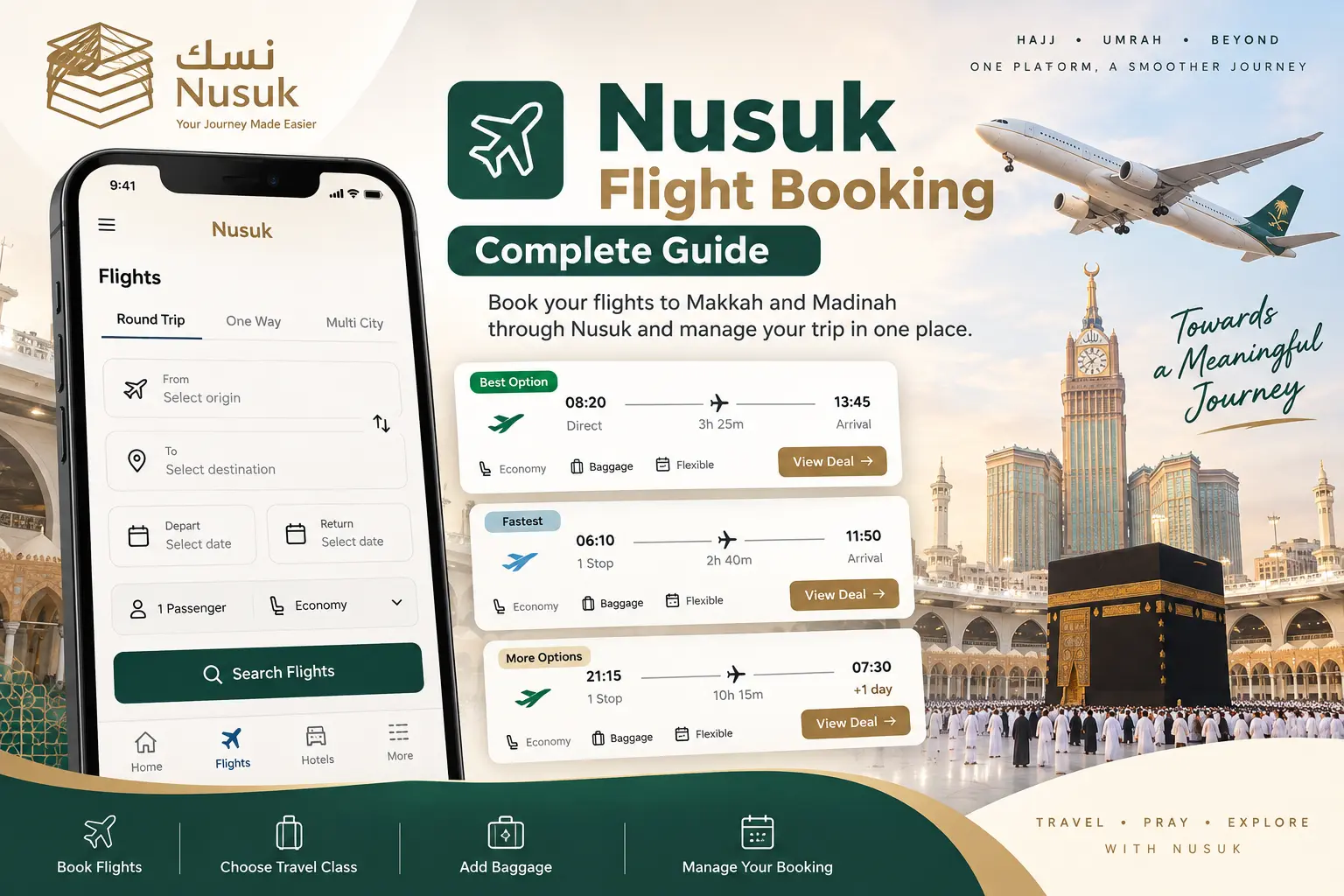
Nusuk Flight Booking is a digital service available through the Nusuk platform that allows visitors to search for and book flights as part of their travel planning. The service can provide different flight options, trip types, travel classes and additional services such as baggage.
This guide explains how the Flights section works, what information you need before searching, how to compare available flights and what to check before completing a booking.
What Is Nusuk Flight Booking?
Nusuk Flight Booking is an electronic service listed in the official Nusuk services directory. It is designed to help visitors book air tickets for travel to Makkah and Madinah through the Nusuk platform.
The official service description states that users can select different flight options, including round-trip travel, choose a travel class, add services such as extra baggage, and review their booking details through the application. :contentReference[oaicite:1]{index=1}
Nusuk also states that the flight service is being expanded through cooperation with more than 25 approved airlines, with plans to cover additional international destinations in the future. :contentReference[oaicite:2]{index=2}
Where Can You Find Flights in the Nusuk App?
Open the Nusuk app and go to the services or discovery section. The Flights service can be selected from the available services.
The exact layout of the app can change after updates, so the location or design of the Flights option may look different on your device.
What Can You Select Before Searching?
The Flights screen shown in the Nusuk app provides several search fields. Depending on the current version and available service options, you can enter the information needed to find suitable flights.
Trip Type
Select the type of journey, such as Round Trip, One Way or Multi City, when the option is available.
Origin
Enter or select the city or airport from which you want to travel.
Destination
Select your destination according to your travel plan.
Travel Dates
Choose your departure date and, for applicable trip types, your return date.
Passengers
Enter the number of passengers included in the flight search.
Travel Class
Select the available travel class that matches your booking requirements.
How to Search for Flights on Nusuk
Open Nusuk
Open the official Nusuk app and access the Flights service from the available services.
Choose the Trip Type
Select Round Trip, One Way or Multi City if that option is available for your journey.
Enter Your Route
Select your departure location and destination.
Select Travel Dates
Choose your departure and return dates when applicable.
Add Passengers
Enter the number of passengers travelling on the booking.
Select Travel Class
Choose the available travel class shown for your search.
Search Flights
Tap the search option to see available flight results.
Compare the Results
Review the available flight times, stops, airlines, duration and price information shown on the results screen.
Review the Booking Conditions
Check the total price, baggage information, cancellation conditions and other applicable booking rules before proceeding.
Complete Your Booking
Select the flight you want and follow the instructions displayed by Nusuk to complete the booking.
How to Compare Nusuk Flight Options
Search results can contain more than one flight option. Before selecting a flight, compare the information displayed on the result card rather than looking at price alone.
- Departure and arrival times
- Total travel duration
- Number of stops
- Airline
- Travel class
- Baggage information
- Total displayed price
- Applicable cancellation or booking conditions
Can You Choose Round Trip or One Way?
The Flights interface shown in the Nusuk app includes different journey types, including Round Trip, One Way and Multi City.
Select the journey type that matches your travel plan and then enter the required dates and destinations.
Can You Add Extra Baggage?
Yes. The official Nusuk service description specifically lists additional baggage among the available flight service options. :contentReference[oaicite:3]{index=3}
The baggage allowance and any additional baggage charges can vary by flight and booking. Always check the baggage information displayed for the selected flight before payment.
Can You Choose Your Travel Class?
The official Nusuk flight service allows users to choose a travel class. The exact classes available depend on the flight and airline shown in the current search results. :contentReference[oaicite:4]{index=4}
Review the selected class carefully before completing the booking because baggage allowance, services and booking conditions may differ between options.
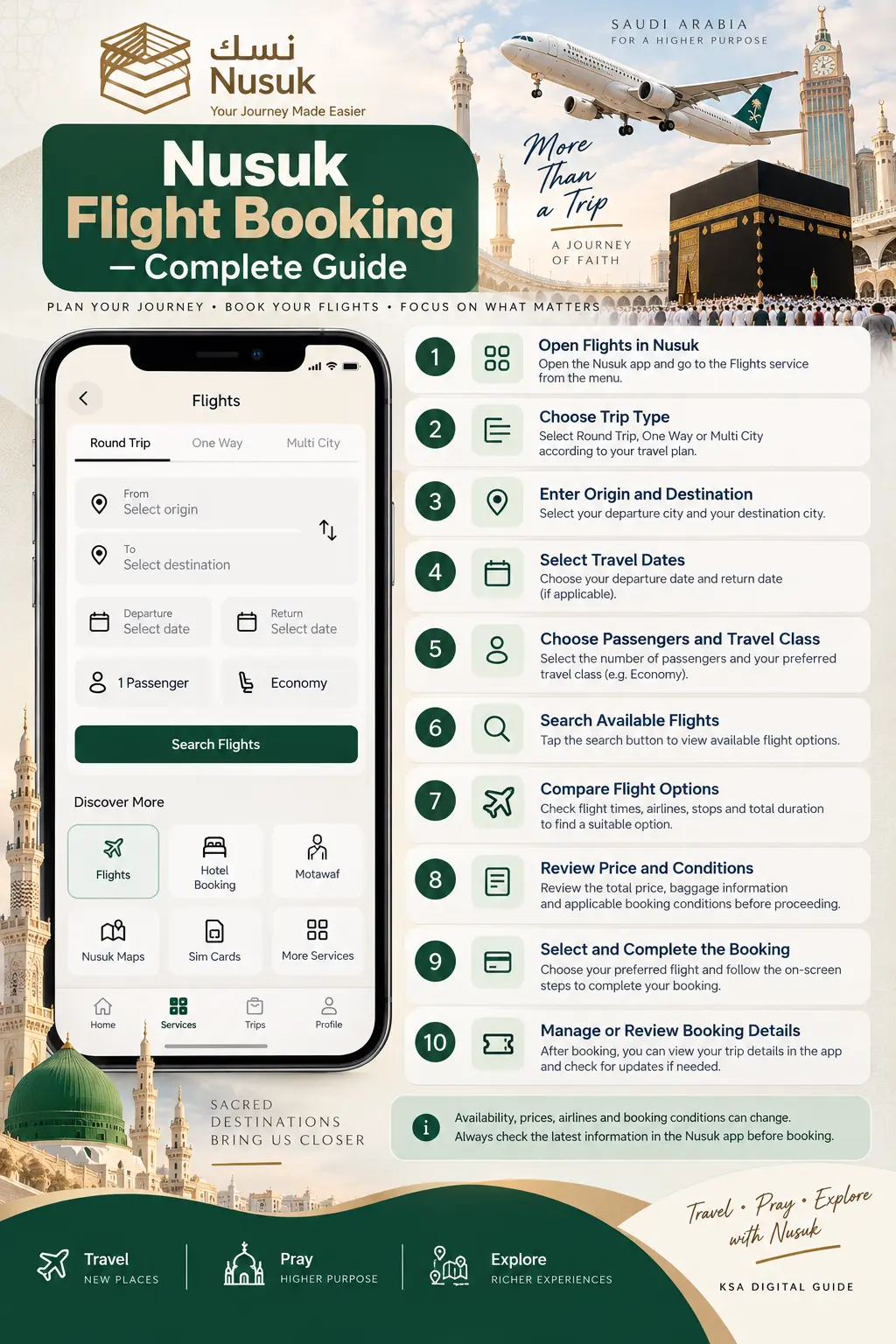
How to Review a Flight Before Booking
Take a moment to review the complete flight information before continuing. The result screen may show the airline, departure and arrival times, flight duration, stops and total price.
Can a Nusuk Flight Booking Be Changed or Cancelled?
The official Nusuk service description states that users can manage booking details and that modification or cancellation can be available through the application. However, the exact rules depend on the booking and applicable flight conditions. :contentReference[oaicite:5]{index=5}
The current Nusuk Umrah terms also state that the applicable policy for a flight booking is shown when the flight is selected and booked. Flight reservations arranged by a service provider can also have different rules from custom flight reservations designated by the airline system. :contentReference[oaicite:6]{index=6}
Nusuk Flight Booking vs Flight Included in an Umrah Package
Flight booking can appear in two different contexts within the Nusuk ecosystem. A user may use the dedicated Flights service to search for air travel, while Nusuk Umrah packages can also include flight arrangements as part of a package.
The official Nusuk Umrah terms describe packages that can combine flights, accommodation, transport, payment services and document verification. :contentReference[oaicite:7]{index=7}
If you are looking specifically for a complete Umrah package, see our Nusuk Umrah Packages Guide.
Important Things to Check Before Booking
- Confirm your departure and destination airports.
- Check the travel date and return date.
- Review the airline and flight number.
- Check whether the flight is direct or has a stop.
- Review total travel duration.
- Check baggage allowance and extra baggage options.
- Confirm the travel class.
- Review the total price before payment.
- Read cancellation and refund conditions.
- Save your booking details after confirmation.
Related Nusuk Guides
Frequently Asked Questions
What is Nusuk Flight Booking?
It is a flight booking service listed by Nusuk that allows visitors to search and book air travel through the platform.
Can I book a round-trip flight on Nusuk?
The Flights interface includes a Round Trip option. Availability depends on the current service and search results.
Can I book a one-way flight?
The Flights interface also displays a One Way option when available. Select it when your journey does not require a return flight.
Can I select my travel class?
Yes. Nusuk’s official service description includes travel class selection. Available classes depend on the flight and airline.
Can I add extra baggage?
Additional baggage is listed as an available flight service option. Check the specific flight for its baggage rules and applicable charges.
Can I change or cancel my Nusuk flight?
Modification or cancellation can be available through the application, but the exact conditions depend on the booking. Always review the applicable policy for your selected flight.
Are flight prices always the same?
No. Flight prices and availability can change. Check the current price shown in Nusuk when searching for your travel dates.
Are flights included in Nusuk Umrah packages?
Some Nusuk Umrah packages can include flight arrangements as part of the package. Package contents vary, so review the specific package details before booking.
Final Tips for Nusuk Flight Booking
Nusuk Flight Booking can bring flight search and other pilgrimage travel services into the same digital ecosystem. Before confirming a flight, carefully compare the available options and review the complete booking conditions.
Because schedules, prices, airlines, baggage options and policies can change, use the information displayed in the official Nusuk app at the time of booking as the final reference.
You can also explore our Nusuk Umrah Packages, Nusuk Hotel Booking and Nusuk Rawdah Appointment guides.