Tawakkalna Not Working: Common Problems & Solutions
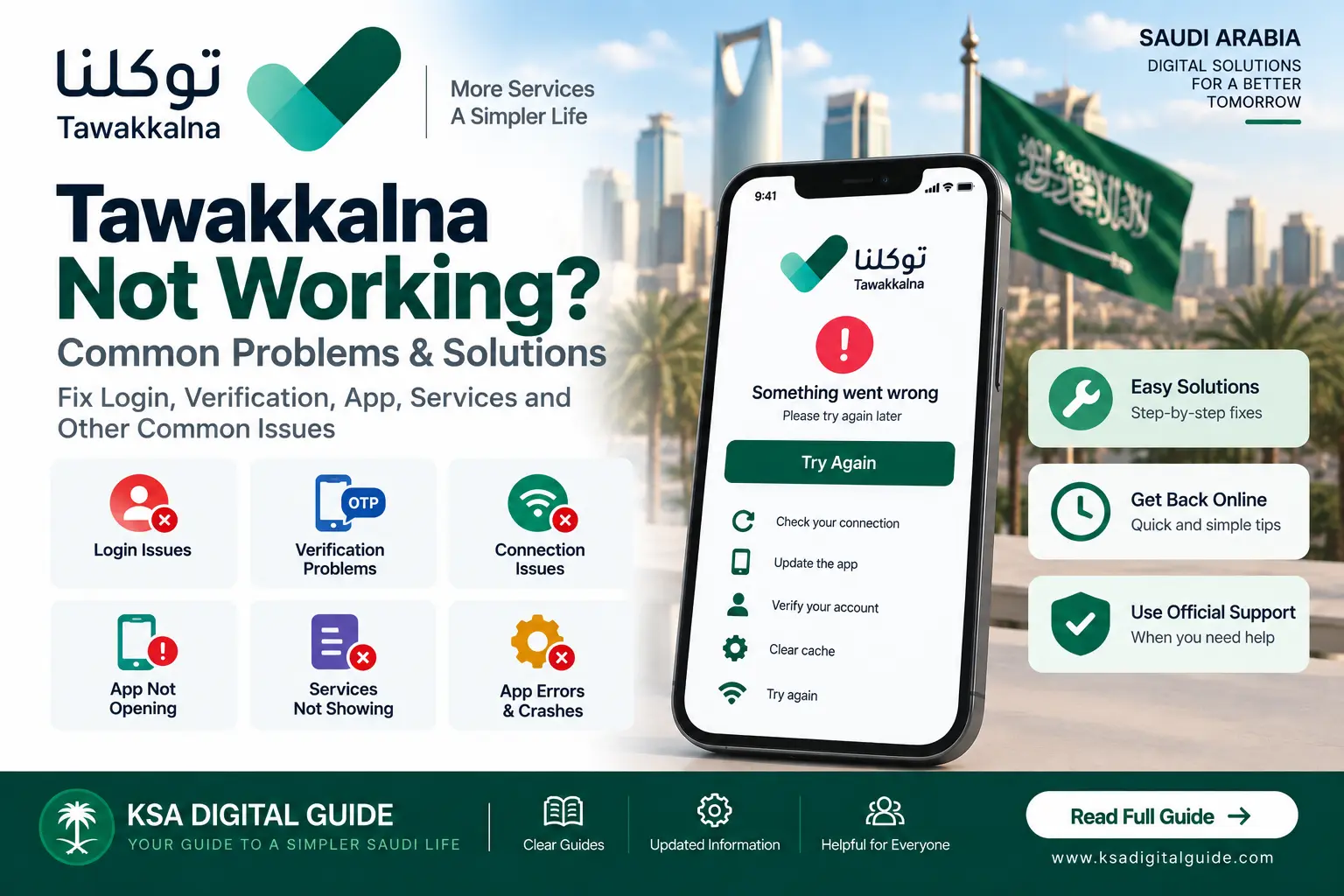
Is Tawakkalna not working, not opening, or showing an error? The problem can be related to the app, internet connection, account access, verification or a specific service. This guide gives simple steps to identify and fix common Tawakkalna problems.
Common Tawakkalna Problems
App Not Opening
Tawakkalna closes, freezes or does not open correctly.
Login Problem
You cannot sign in or the account access process does not complete.
Verification Problem
A verification step does not complete or an expected code does not arrive.
Connection Error
The app cannot connect properly to its online services.
Service Not Showing
A particular government service or information is not visible.
App Error or Crash
The application stops responding or closes unexpectedly.
Quick Fixes for Tawakkalna
Check Internet
Make sure your Wi-Fi or mobile data is working correctly.
Close and Reopen
Completely close Tawakkalna and open it again.
Update the App
Check the official app store for an available update.
Restart Your Phone
Restarting the device can help with temporary app problems.
Try Again
Retry the action after checking your connection and app version.
Check Official Support
Contact Tawakkalna support if the problem continues.
Tawakkalna Login Not Working
Check Your Account
Make sure you are entering the correct account information.
Check Your Connection
A weak or interrupted connection can prevent the login process from completing.
Update Tawakkalna
Make sure you are using the latest version available from the official app store.
Try Again Later
If the problem continues after basic checks, try again later and check official support.
Tawakkalna Verification Problem
If Tawakkalna is asking for verification and the process does not complete, first check your connection and make sure your account information is correct.
Check Your Mobile
Make sure you can receive messages and that your mobile connection is working.
Check Account Information
Make sure the information connected to your Tawakkalna registration is correct.
Retry Verification
Close the app and try the verification process again.
Mobile Number Verification Problem
If you are trying to register for Tawakkalna and your mobile number is not verified in Absher, Saudi Arabia provides an official mobile-number identification service.
Open Absher
Log in to the official Absher platform.
Open My Services
Select the My Services section.
Select Services
Open the Services section.
Open General Services
Select General Services.
Identify Mobile Number
Select Identify Mobile Number for Tawakkalna App.
Try Registration Again
After the official verification process, return to Tawakkalna and continue registration.
Tawakkalna App Not Opening
Restart the App
Close Tawakkalna completely and open it again.
Restart Your Device
Restart your phone and try opening the application again.
Check for Updates
Install an available official Tawakkalna update.
Check Storage
Make sure your device has enough available storage for normal app operation.
Check Your Internet
Try another reliable Wi-Fi or mobile-data connection.
Reinstall Only If Needed
If basic troubleshooting does not help, reinstall the official application and sign in again.
Tawakkalna Service Not Showing
If Tawakkalna opens normally but one service is missing, the problem may be specific to that service rather than the entire application.
Search the Service
Use the Tawakkalna search feature and enter the service name.
Check the Entity
Look for the government entity responsible for the service.
Check Eligibility
Some services may only appear for eligible users.
Check Official Updates
The service may have been updated or changed by the responsible entity.
Try the Official Platform
Some government services may continue through another official platform.
Try Again Later
Temporary technical issues can affect individual services.
Tawakkalna App Keeps Crashing
Update the App
Install the latest official version available for your device.
Restart the Device
Restart your phone before trying the app again.
Check Available Storage
Low device storage can affect application performance.
Reinstall the App
If the problem continues, reinstall the official Tawakkalna application.
When Tawakkalna Works but Information Is Not Updated
Sometimes the application itself can open normally while specific information or a service does not appear as expected.
Refresh the App
Close and reopen Tawakkalna before checking the information again.
Check the Source
If the information comes from another government entity, check that entity’s official platform.
Check Later
If the service appears temporarily unavailable, try again later.
Contact Tawakkalna Support
Official Support Email
The current official Google Play listing provides tawakkalna@nic.gov.sa as the Tawakkalna support email.
Use Official Support
If basic troubleshooting does not solve the problem, contact the official Tawakkalna support channel.
Before Contacting Support
Describe the Problem
Explain what happens when you try to use the app.
Note the Error
Keep the exact error message if one is displayed.
Check Your App Version
Know whether your Tawakkalna application is updated.
Related Tawakkalna Guides
Frequently Asked Questions
Why is Tawakkalna not working?
The problem can be related to the app, internet connection, account access, verification or a specific service.
Why is Tawakkalna not opening?
Check the app version, internet connection, device storage and temporary app problems. Restarting the app or device can also help.
Why can I not log in to Tawakkalna?
Check your account information, internet connection and app version. If the problem continues, use official Tawakkalna support.
Why is my Tawakkalna verification not working?
Check your connection and account information and retry the verification. If mobile-number verification is required, use the official government verification service.
Why is a Tawakkalna service missing?
Search for the service again, check the responsible government entity and make sure you meet any applicable eligibility requirements.
How can I contact Tawakkalna support?
The current official Google Play listing provides tawakkalna@nic.gov.sa as the support email.
Still Having a Tawakkalna Problem?
Start with the basic fixes above. If the problem continues, check the official Tawakkalna support channel or the government platform responsible for the affected service.