
How to Check Iqama Status in Saudi Arabia via Absher
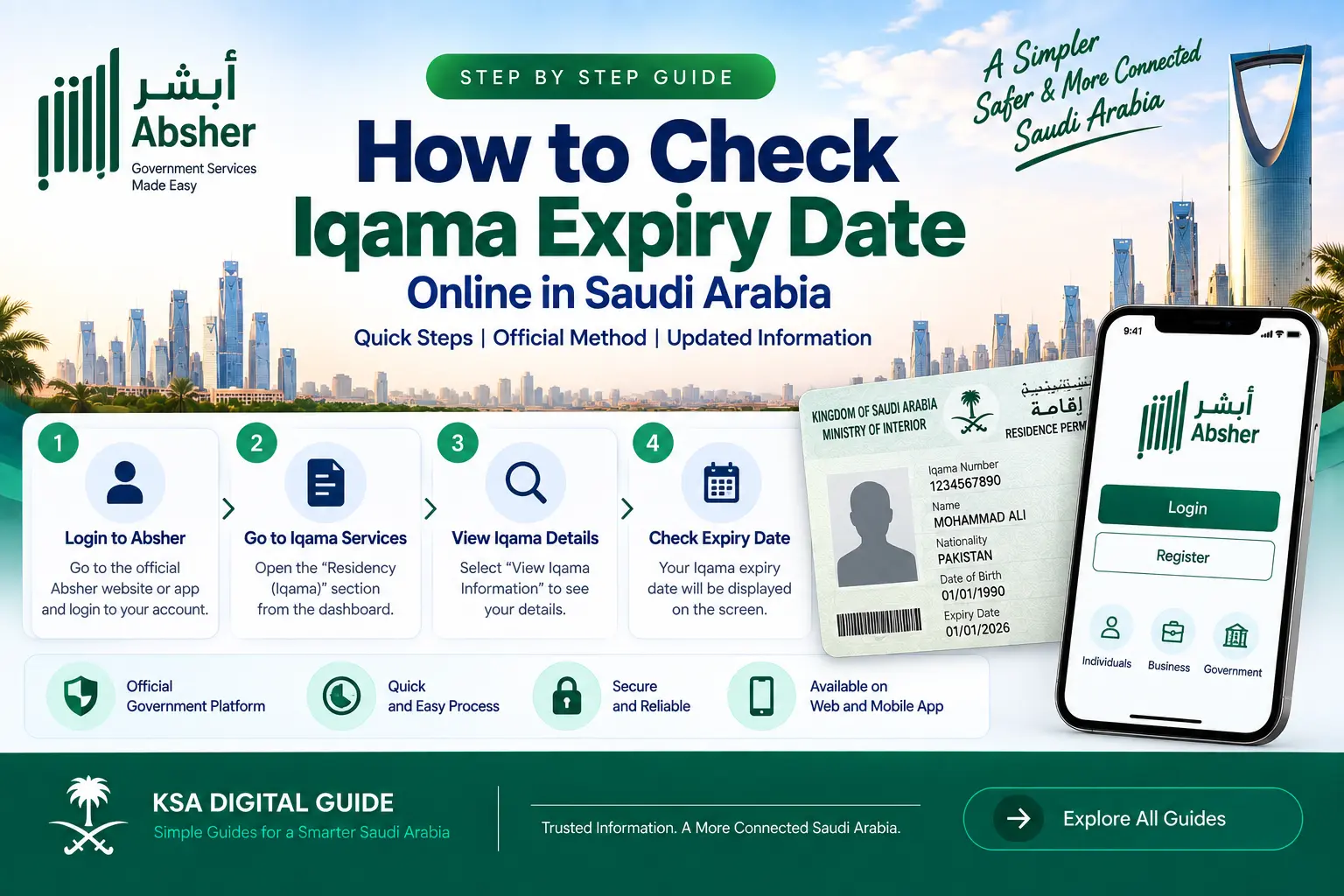
You can check your Iqama status and expiry information online through Absher. The official service shows whether the Resident ID is active or expired and provides the expiry date.
In This Guide
Official Iqama Status Check Method
Absher provides an electronic service called Public Query Resident ID Expiry. This service allows users to check the status and validity of a Resident ID (Iqama) and its expiration date.
The result can show whether the Resident ID is active or expired.
How to Check Iqama Status on Absher
Follow these official steps to check the status of a Resident ID.
Open Absher
Open the official Absher platform and log in to your account.
Open E-Services
From the available services, open the electronic services section.
Select Employee Inquiries
Go to Employee Inquiries and find Public Query Resident ID Expiry.
Enter the Required Information
Enter the Resident ID number and the required verification information.
View the Result
Submit the inquiry to see the Resident ID validity status.
Check the Expiry Date
Review the expiry information shown for the Resident ID.
What Information Can You Check?
The official query service is designed to show the validity information of the Resident ID.
- Whether the Iqama is active or expired.
- The expiry date of the Resident ID.
- Resident ID validity information available through the service.
What Do You Need to Check Iqama Status?
According to the official Absher service information, the inquiry requires access to the Absher platform and the required Resident ID information.
- An Absher digital identity/account for the service.
- The Resident ID (Iqama) number.
- The required visual verification code, when requested.
- An internet connection to access the service.
Who Can Use the Iqama Status Inquiry?
The official Resident ID expiry inquiry is intended for residents. Absher identifies this service as an electronic inquiry about Resident ID validity and expiry information.
Iqama Status Is Not Showing? Try These Steps
If the inquiry does not work, first check that you are using the official Absher platform and that the information entered is correct.
- Check that the Iqama number was entered correctly.
- Check the visual verification code if one is shown.
- Refresh the page and try the inquiry again.
- Make sure your internet connection is working.
- Try again later if the Absher service is temporarily unavailable.
- Use the official Absher support channels if the issue continues.
Iqama Status Check vs Iqama Renewal
Checking your Iqama status does not renew the Iqama. If the result shows that your Iqama is expired or approaching expiry, check the applicable renewal service and requirements separately.
Why Should You Check Your Iqama Status?
Checking the Resident ID information can help you know whether your Iqama is currently active and when it expires.
This is especially useful before dealing with services that may require valid residency information.
Iqama Status FAQ
How can I check my Iqama status in Saudi Arabia?
Log in to Absher, open E-Services, select Employee Inquiries and choose Public Query Resident ID Expiry. Enter the required details to view the status.
Can I check whether my Iqama is expired?
Yes. The official Absher inquiry can show whether the Resident ID is active or expired and provides expiry information.
Can I check my Iqama expiry date through Absher?
Yes. Absher provides a Resident ID expiry inquiry that allows you to check the expiry date.
Does checking Iqama status renew my Iqama?
No. The status inquiry only lets you check the Resident ID information. Renewal is handled through a separate service.
Do I need my Iqama number?
Yes. The official service requires the Resident ID number as part of the inquiry.
What if my Iqama status is not showing?
Check your Iqama number and verification information, refresh the service and try again. If the problem continues, use official Absher support.
Can I check someone else’s Iqama status?
The available inquiry should be used according to the access and information permitted by Absher. Do not use another person’s confidential account credentials.
Related Iqama & Absher Guides
Official Source
- Saudi Ministry of Interior — Absher electronic services and Resident ID validity inquiry.
- Absher User Guide — Passport and Resident ID inquiry services.
Need More Saudi Digital Service Guides?
Explore simple guides for Absher, Nafath, Iqama, visas, traffic, work services and other Saudi digital platforms.
Explore KSA Digital Guide